Binance API & Paper Trading Setup Guide
Complete step-by-step visual instructions to connect AGZ ApexBot to Binance Futures or Binance Demo Trading.
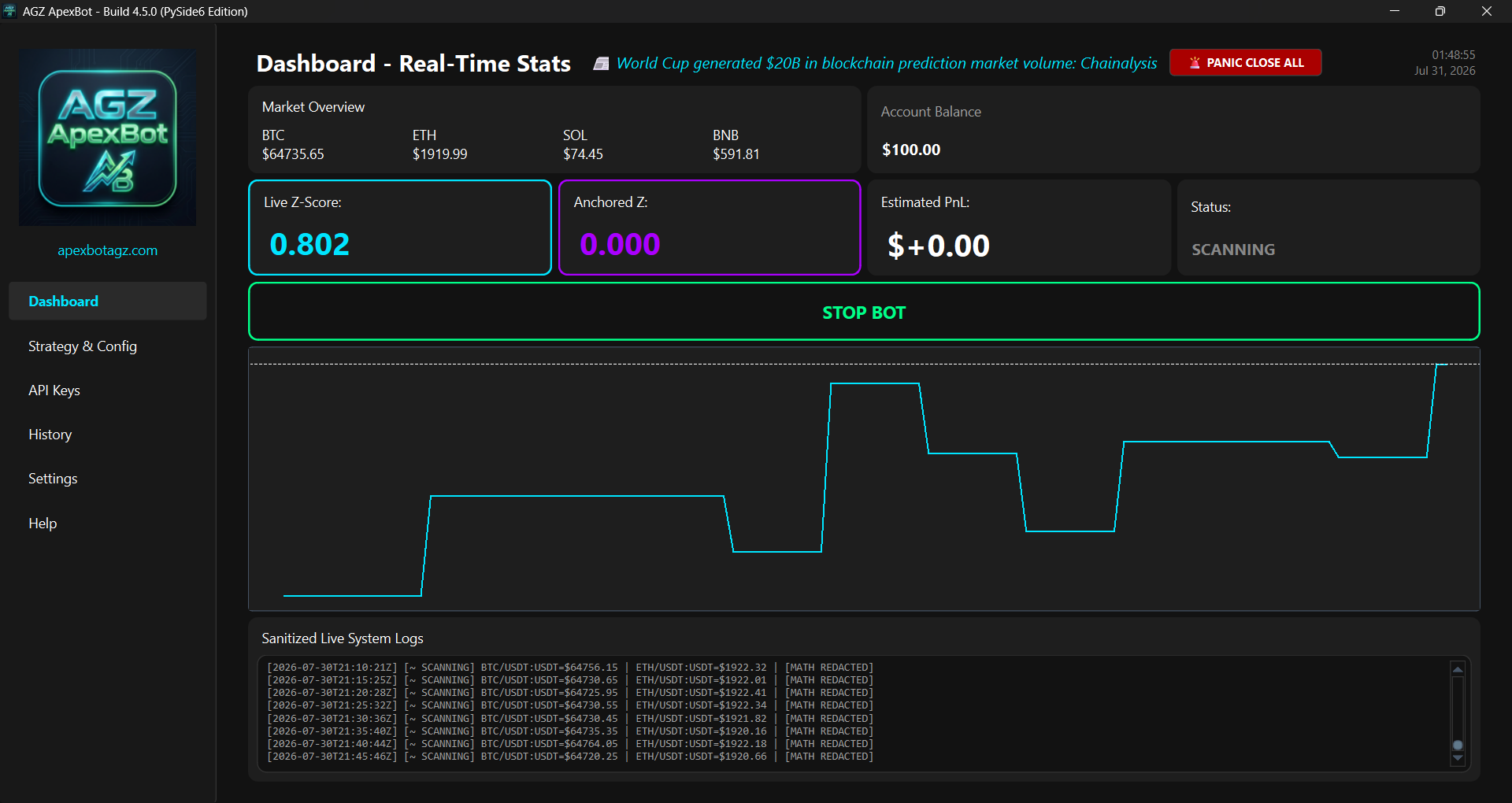
AGZ ApexBot Build 4.5.0 (PySide6 Edition) Real-Time Desktop Interface
1. Setting Up Live Binance Futures API
Follow these steps on your Binance account. All funds remain 100% non-custodial in your own account — ApexBot never requires withdrawal permissions.
Step 1: Open API Management
Log in to your Binance Account. Click your Profile Icon (top right) and select API Management.
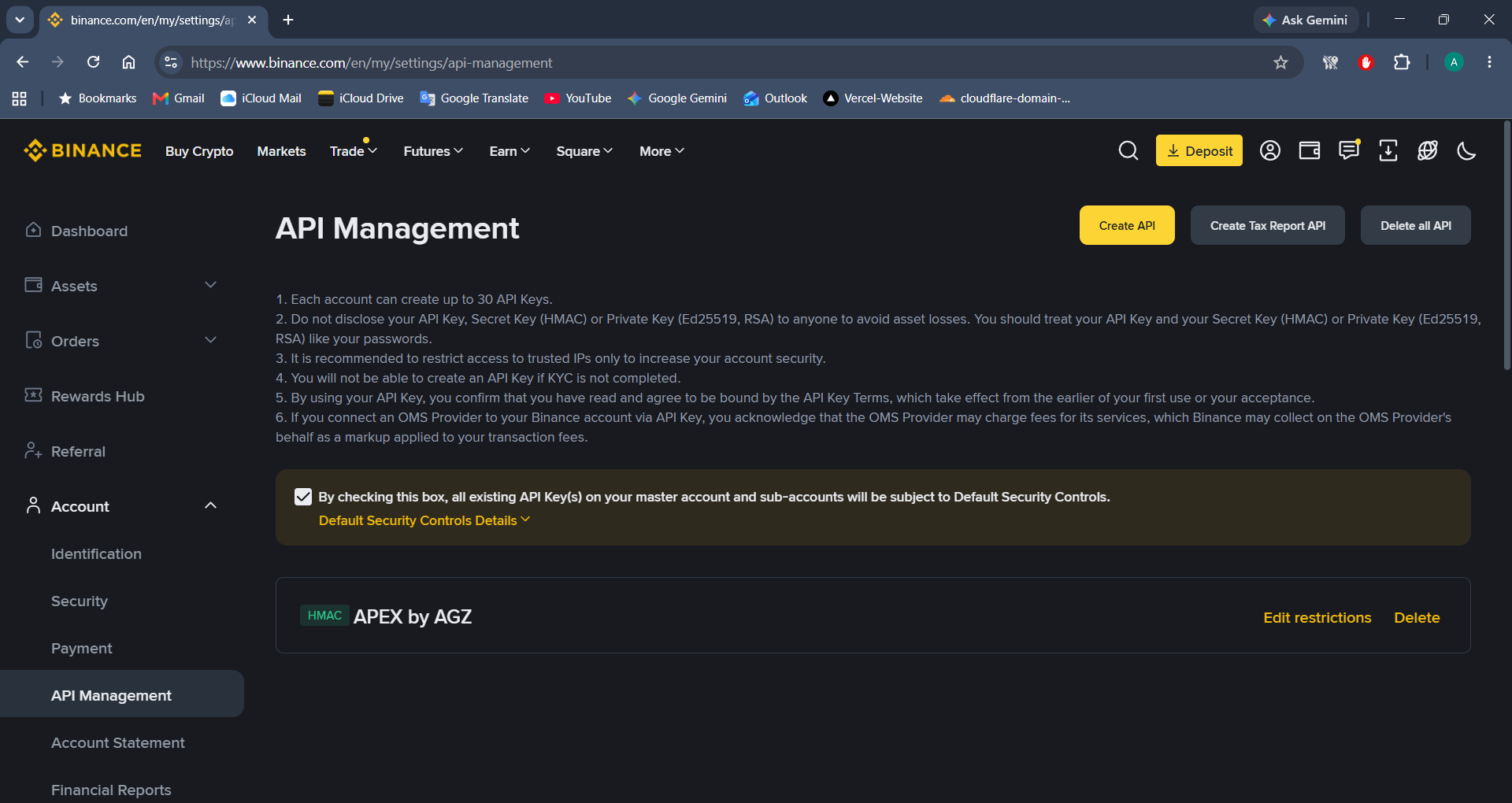
Step 2: Create a System-Generated API Key
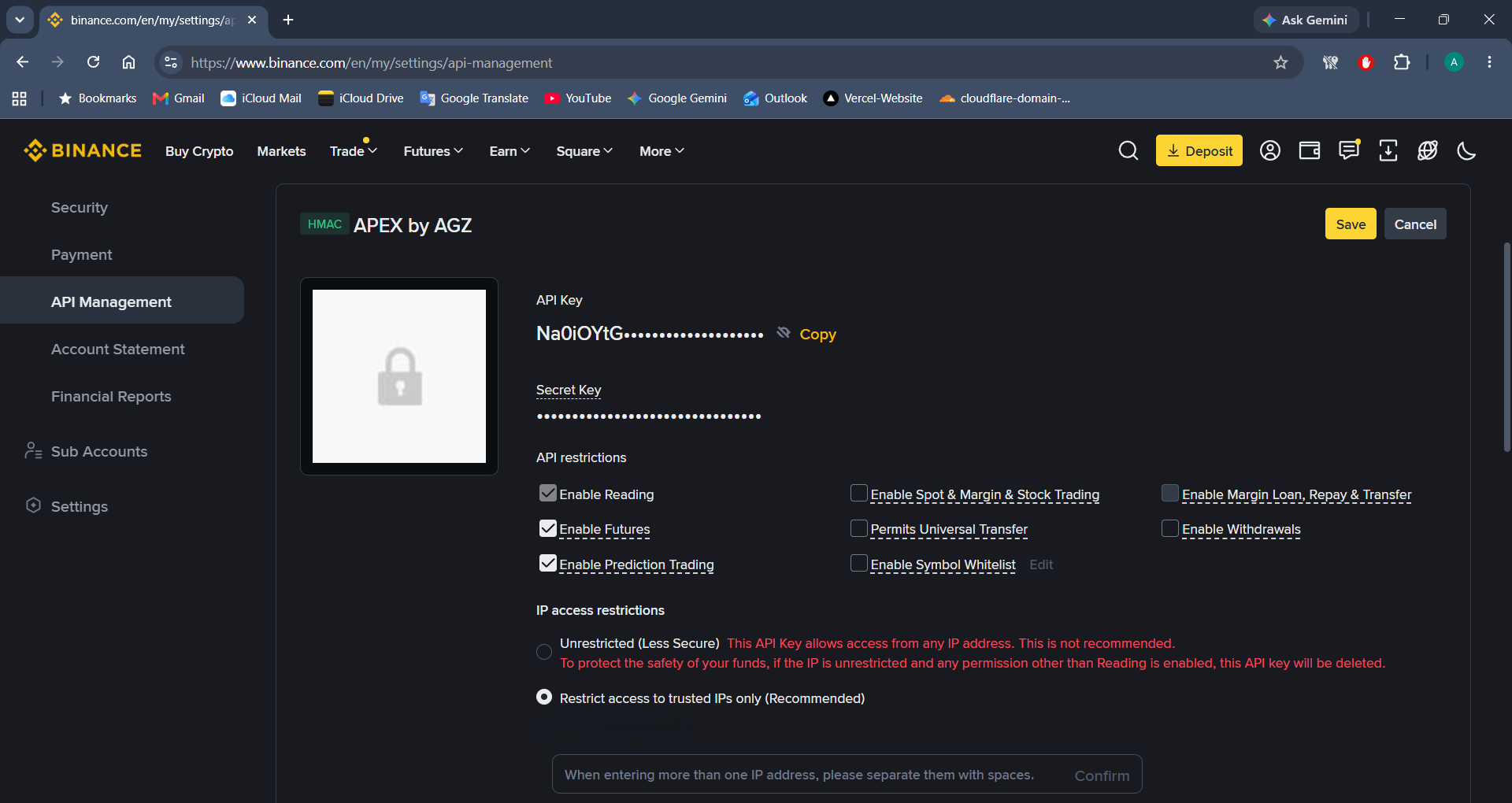
Click the yellow Create API button, choose System generated, and name your key (e.g. APEX by AGZ).
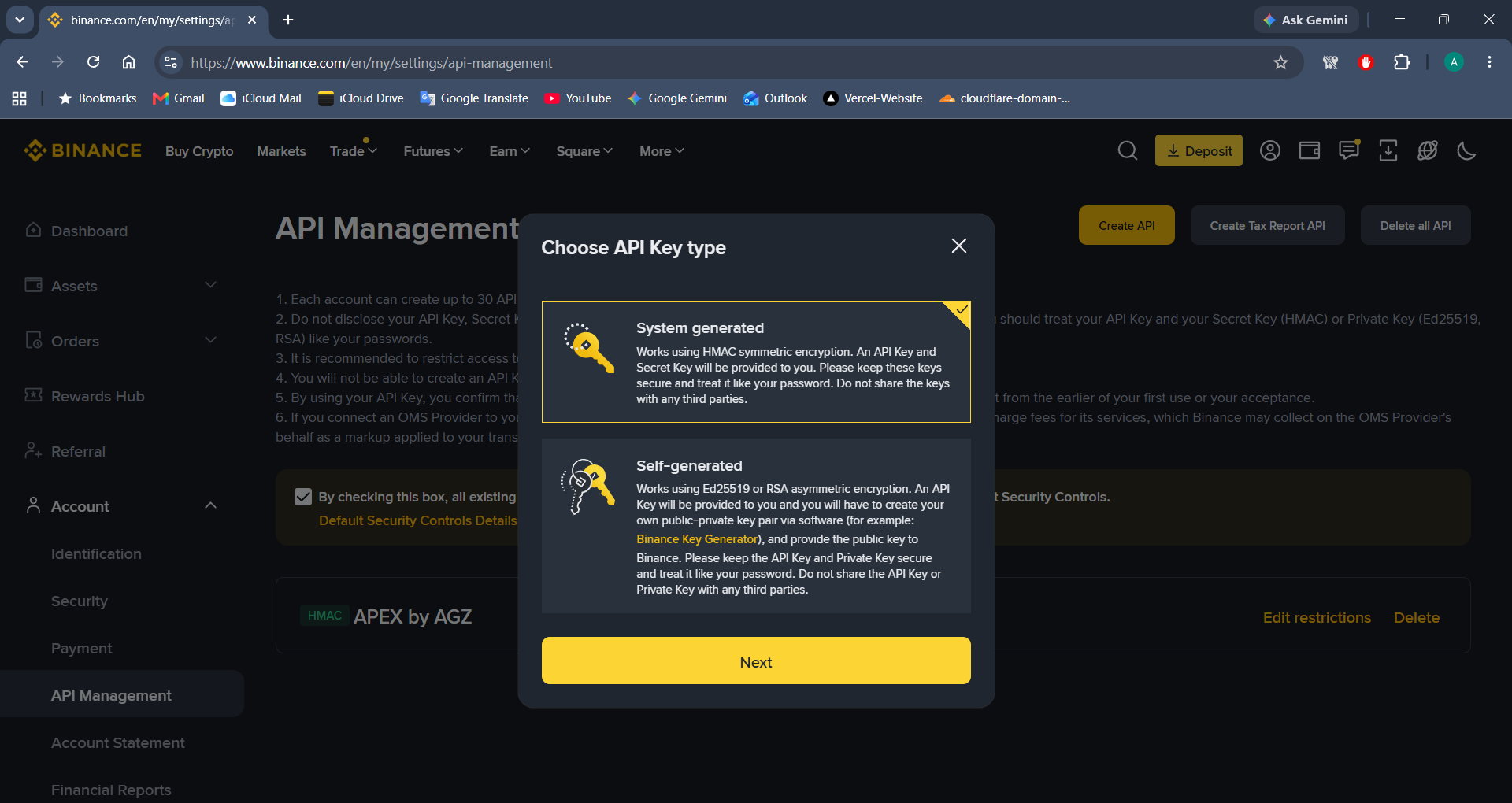
Step 3: Configure API Restrictions & IP Security
- Click Edit restrictions.
- Check Enable Futures.
- Select Restrict access to trusted IPs only and paste your computer's public IP address.
- Click Save.
⚠️ CRITICAL SECURITY RULE: Keep "Enable Withdrawals" UNCHECKED. ApexBot only performs algorithmic trades.
Step 4: Paste Keys into ApexBot
Copy your API Key and Secret Key, launch ApexBot, navigate to the API Keys tab, paste them into the LIVE fields, and click Save Keys.
2. Setting Up Paper Trading (Binance Demo Trading)
Test your quantitative strategies 100% risk-free using Binance's official Demo Trading environment.
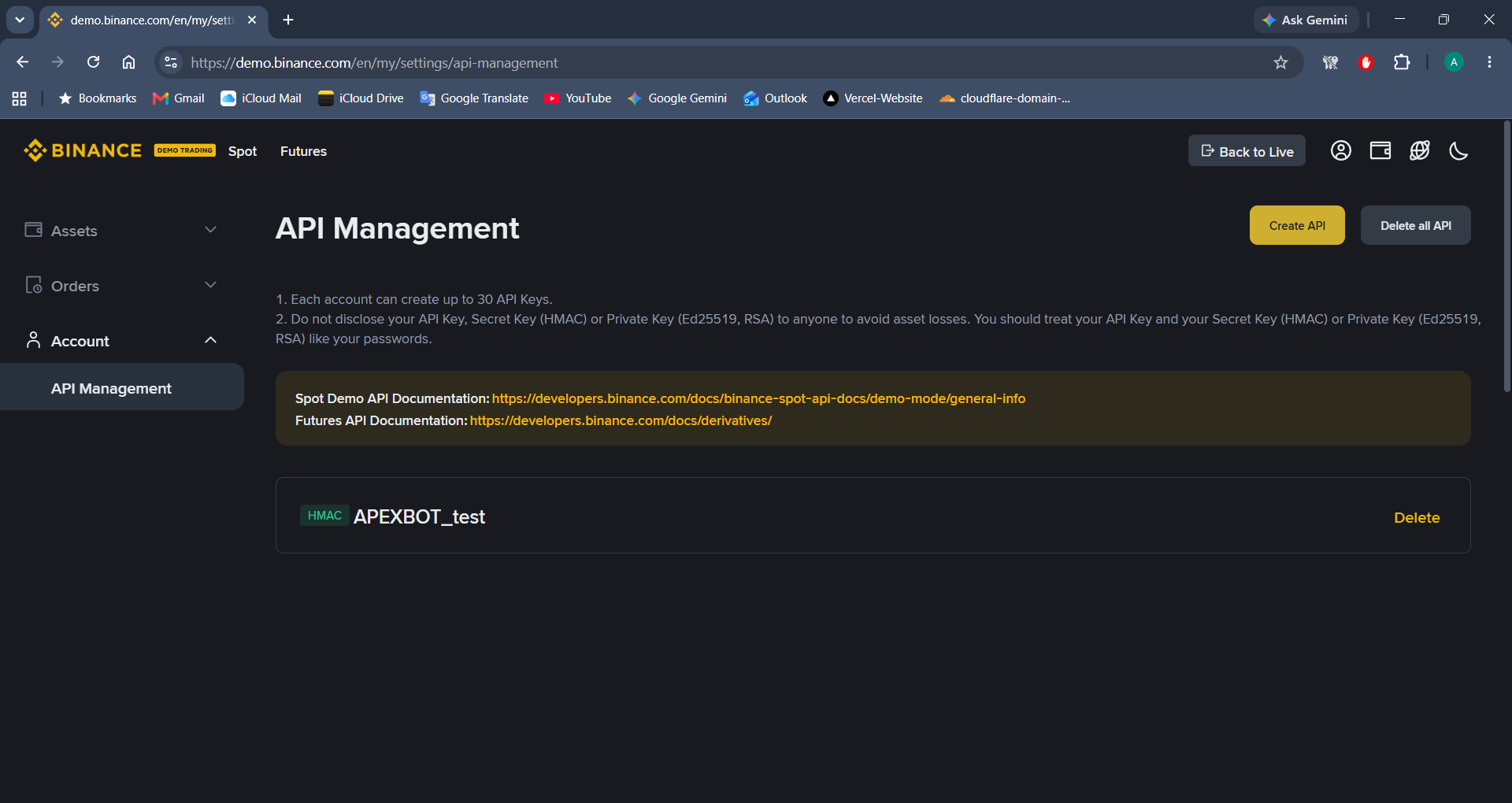
Step 2: Create Demo API Key
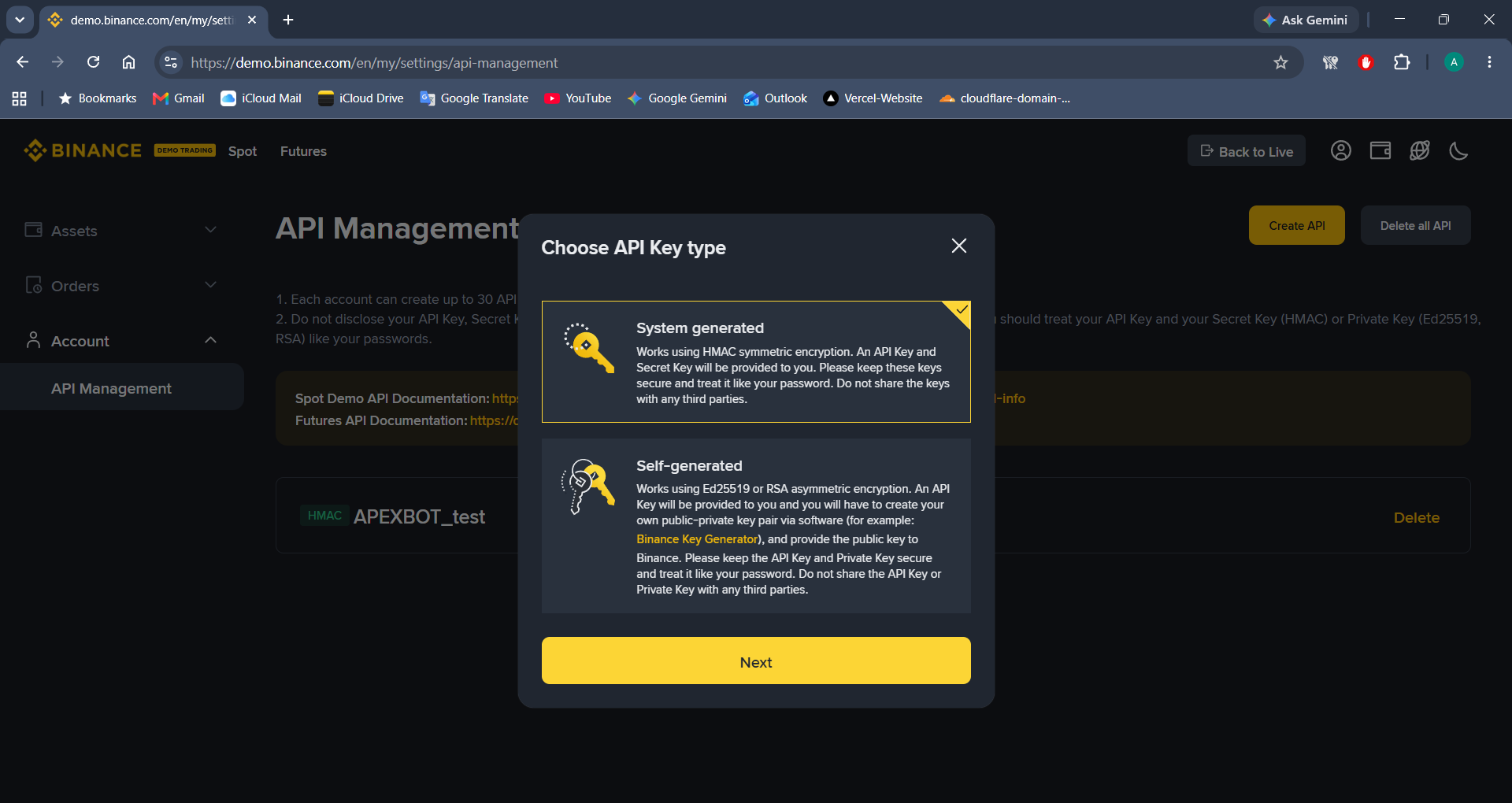
Click Create API, select System generated, and label your test key (e.g. APEXBOT_test).
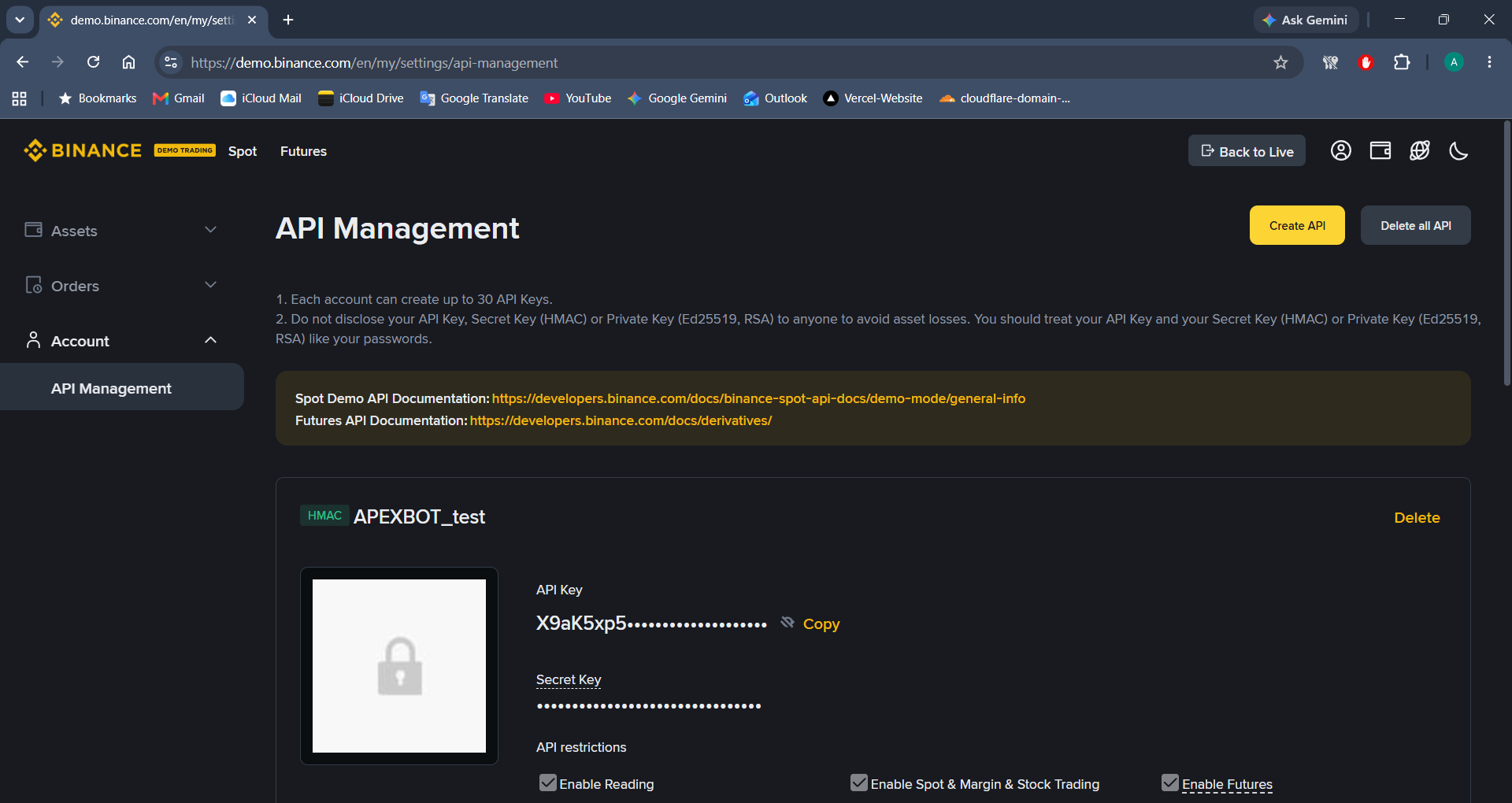
Step 3: Copy Testnet Key & Secret
Verify that Enable Futures is checked and copy your Testnet API Key and Secret Key.
Step 4: Enable Paper Trading in ApexBot GUI
- Open ApexBot and click on Strategy & Config in the sidebar.
- Check "Enable Paper Trading Mode (Binance Testnet)" and click Save Settings.
- Go to the API Keys tab.
- Paste your test keys into Binance API Key (TESTNET) and Binance API Secret (TESTNET).
- Click Save Keys and press START BOT on the Dashboard.
3. Key Security Best Practices
-
Local File Encryption
ApexBot saves your API keys locally on your device in
key.env. Your credentials are never stored or transmitted to external servers. - Weekly IP Whitelist Check Because home internet providers rotate IP addresses periodically, remember to check and update your API key IP whitelist on Binance if you notice connectivity drops.
- Strict Risk Caps The trading engine is hard-capped to 5x leverage max and features automated trailing stop losses and structural break pauses.